Showing posts with label Sony Ericsson experia X1. Show all posts

Sony Ericsson Xperia X1 Display Light Problem Solution

Here's the Solution for Sony Ericsson Xperia X1 solution for not working display backlight problem that result to a dark or blank screen display. This solution shows some components that holds the display backlight LED to work or light up.

This solution may only work and can be applied if after replacing the LCD the problem still exists, so do replace the LCD first to confirm if the LCD backlight LED are still working or already damaged.

If the newly installed LCD still shows same display problem, you may then do a check up and replacement procedure on the components showed on the solution above. You may then check or replace the inductor coils and the diode, there is voltage supply reading on the inductor coil from the battery which is about 3.8V.
Then replace the LED driver IC if the components were all okay and if the problem still persists.

SE Xperia X1 Touch Screen Not Responding in Landscape Mode - Repair Solution

Sony Ericsson XPERIA X1 Unlocked Phone with 3G, 3.2 MP Camera, Wi-Fi, GPS, Bluetooth, and MicroSD Slot--U.S. Version with Warranty (Silver)This common problems on Sony Ericsson Xperia X1 like, touchscreen just stops responding once slide out the keyboard, ended up black screen when slide out or open, the phone sometimes has no image at all when the phone opened and can only work in portrait mode.
(If you are a standard user by this product you can check the warranty period of your Xperia X1, if not yet expired you can send it to the SE service centers for repair.)


This all problems exists when the flat flexible cable wire on Xperia X1 is being damaged already.
At first of my encounter with this, I have tried to hard reset the device and tried different ROMs but the problem still persists. So the only solution for this, is to replace the ribbon cable wire to fix the problem.


Mostly most of my repair history on Xperia X1 got this common problem from many standard users. Xperia X1 was released last 2008, October if I'm not mistaken, but almost got over hundreds of it I got repaired with same problem issues.

Here's the disassembly guides for SE Xperia X1 from  trusted sites:
Ifixit
formymobile


Anyway, you can purchased a replacement Flat Flexible cable or ribbon on ebay. Do not even try to buy an imitation one, or you might experience more backjob from your costumers, that outta possibly happen.

"this cell phone repair tutorials post is an answers to all who are asking solution about this problem via my e-mail"

How to Hard reset for Sony Ericsson Xperia X1

How to Hard reset for Sony Ericsson Xperia X1
Sony Ericsson XPERIA X1 Unlocked Phone with 3G, 3.2 MP Camera, Wi-Fi, GPS, Bluetooth, and MicroSD Slot--U.S. Version with Warranty (Silver)
There are two ways to hard reset the X1.

First way - Start>Settings>System>Clear Storage then enter the number 1234 and press Yes.

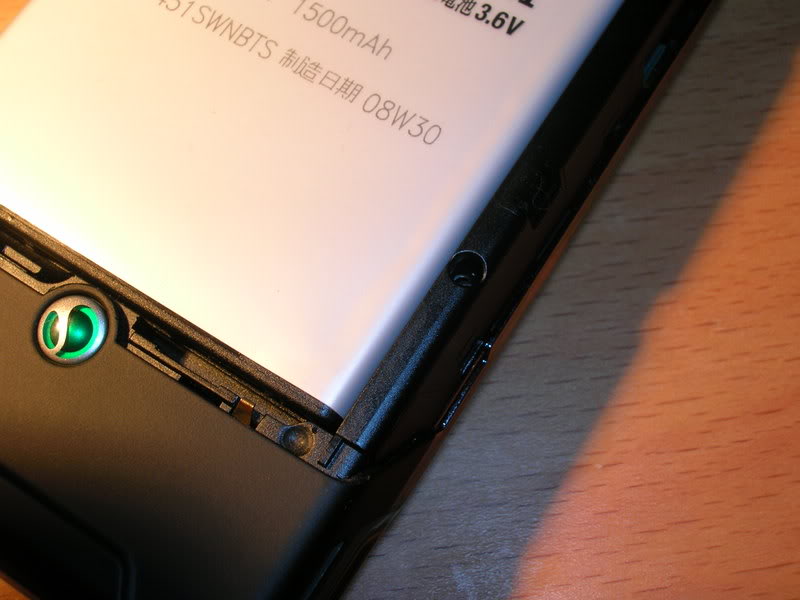
Second way - Press and hold the two silver keys (left and right) situated just below the screen. Now insert the stylus pen into the tiny hole which is situated around the bottom right of the back of the device for 5 seconds. Follow the on screen instructions.

It is advisable to back up your data before performing a hard reset.

A soft reset can be performed by ONLY inserting the stylus pen into the tiny hole for 5 seconds.

If you want to perform a soft reset on you X1 you will not lose any data.
There are a few ways to perform a soft reset, one is through the use of applications on the X1 like "Advanced Config" or if you look at the 2 images below:

Step by step procedure:
While your device is on, simply insert your stylus into the small hole and push down, your device will restart its self.

HARD RESET:
This will restore your phone to its factory defaults, i have done this my self and it went back to exactly how they gave it to me in the store which is exactly what i wanted it to do. In the image below you can see what buttons you have to press.
While the phone is off -hold down the front left and right buttons on the X1 and insert your stylus into the soft reset hole all at the same time.
After i did this i was presented with a blue screen that told me to press R to reset and delete all my existing stuff. Then i had to callibrate the stylus and the same stuff the day you got it.